Toolbar and bulk action toolbar
Table toolbars
We have introduced two new configurable capabilities to the MDS Table component giving more flexibility to manage data and actions directly within the table experience:
- Default toolbar
- Bulk action toolbar
Default toolbar
The Default Table Toolbar exposes high‑level, table‑wide actions that are not tied to row selection. These actions typically affect the dataset, table configuration, or data exchange.
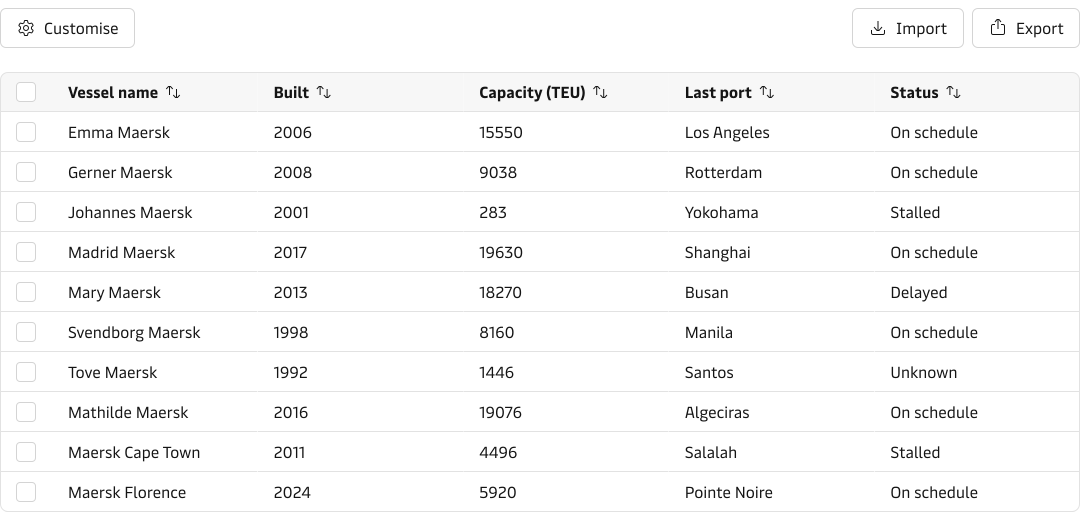
When to use
Use the Default Toolbar when actions:
- Apply to the entire table or dataset
- Are frequently accessed but not destructive
- Do not depend on row selection
Bulk action toolbar
The Bulk Action Toolbar enables users to perform actions on multiple selected rows. It appears only when one or more rows are selected.
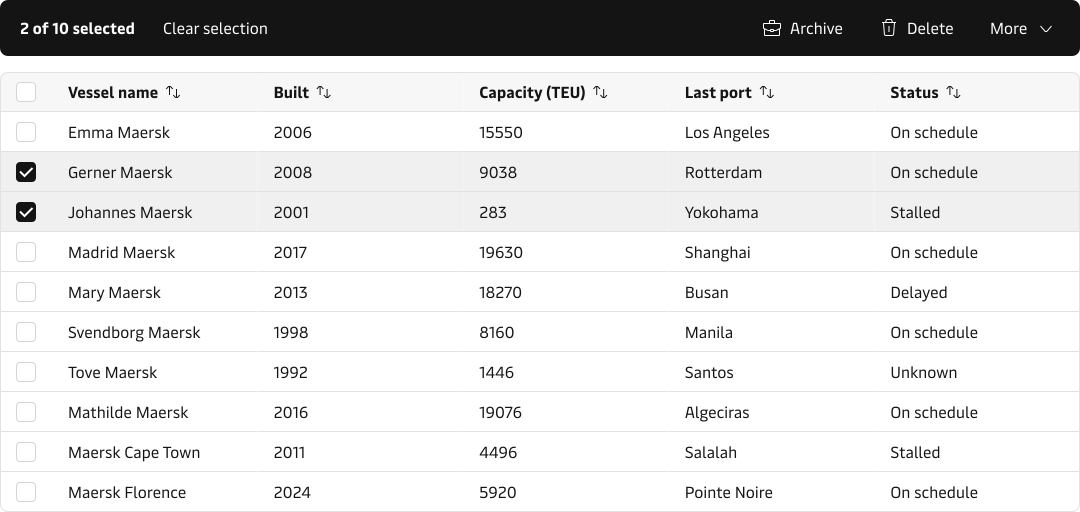
When to use:
Use the Bulk Action Toolbar when:
- Actions require row selection
- The same action can be applied to multiple items
Toolbar out of experiments
Alongside these updates, the standalone Toolbar component has graduated from MDS Experiments and is now fully supported for production use. We’ve improved its responsive behaviour and introduced a new “inverse” appearance to support bulk action contexts.